
Why Your Business Needs a Mobile-First Website
Discover why mobile-first design is essential for modern businesses, how Google's mobile-first indexing works, and best practices for mobile UX.
At a glance
Decision brief
Who this is for, the decision it involves, and where to begin.
- 01Best for
- Desktop-led websites losing mobile visitors, leads, or search visibility.
- 02Core trade-off
- Mobile-first design improves key journeys, but priorities should follow your own audience data.
- 03First step
- Audit important mobile journeys with Lighthouse and Google Search Console.
- The State of Mobile Traffic in Canada
- What Mobile-First Design Actually Means
- Mobile-First vs. Responsive Design
- Why Google Cares About Mobile
- Mobile-First Indexing
- Page Experience Signals
- Core Principles of Mobile-First Design
- Prioritize Content Hierarchy
- Design for Touch, Not Clicks
- Simplify Navigation
- Optimize Typography
- Streamline Forms
- Mobile User Experience Best Practices
- Speed Is Non-Negotiable
- Avoid Intrusive Interstitials
- Design for Offline and Low Connectivity
- Progressive Web Apps (PWAs)
- Benefits of PWAs
- When a PWA Makes Sense
- Mobile Conversion Optimization
- Click-to-Call
- Simplified Checkout
- Location-Aware Features
- Mobile-Specific Calls to Action
- Testing Your Mobile Experience
- Tools for Mobile Testing
- Real Device Testing
- Making the Transition to Mobile-First
- Quick Wins
- Medium-Term Improvements
- Long-Term Strategy
- The Competitive Advantage of Mobile-First
The way people access the internet has fundamentally shifted. Mobile devices now account for the majority of web traffic worldwide, and Canada is no exception. If your business website was designed primarily for desktop screens, you are likely losing visitors, leads, and revenue every single day.
Mobile-first design is not a trend or a nice-to-have. It is the standard approach to building websites that perform well for the majority of your audience. This guide explains what mobile-first design means, why it matters for Canadian businesses, and how to implement it effectively.
The State of Mobile Traffic in Canada
The numbers paint a clear picture of how Canadians use the internet today:
- Mobile accounts for roughly half of web traffic in Canada and the share has grown steadily year over year. Canada's desktop share stays higher than the global average, so check your own analytics rather than assuming the worldwide ~60% mobile figure applies to your audience
- CIRA's annual Canada's Internet Factbook consistently finds that smartphones are the primary internet device for a large share of Canadians, especially those under 45
- Mobile commerce in Canada has grown dramatically, with Canadians increasingly comfortable making purchases directly from their phones
- In rural and northern communities, mobile is often the primary or sole way people access the internet, making mobile optimization even more critical for businesses serving these areas
Google does not publish country-level device splits for search, but Google has indexed the mobile version of the web by default since 2019 — so if your site does not perform well on a phone, that is the version being judged.
What Mobile-First Design Actually Means
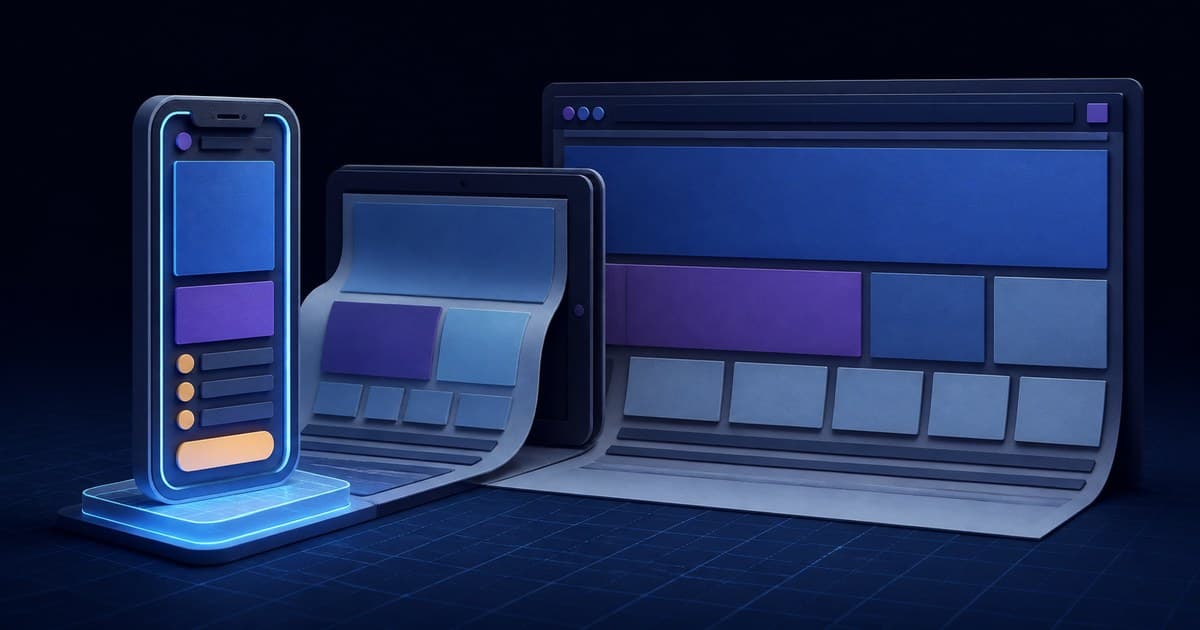
Mobile-first design is an approach where you design and build for the smallest screen first, then progressively enhance the experience for larger screens like tablets and desktops. This is the opposite of the traditional approach, where designers created a desktop layout and then tried to squeeze it onto a phone.
Mobile-First vs. Responsive Design
These terms are related but not identical:
- Responsive design means your website adapts to different screen sizes. The layout shifts and elements resize to fit whatever device the visitor is using. A responsive site can be designed desktop-first or mobile-first.
- Mobile-first design is a responsive approach that starts with the mobile layout as the foundation. It ensures that the core experience is optimized for smaller screens, and features are added (not crammed in) as screen real estate increases.
The distinction matters because starting from desktop and scaling down often leads to compromises on mobile. Important elements get hidden, text becomes too small, buttons are too close together, and the experience feels like an afterthought. Starting mobile-first forces you to prioritize what truly matters.
Why Google Cares About Mobile
Mobile-First Indexing
Google now uses mobile-first indexing for all websites. This means Google primarily uses the mobile version of your site for indexing and ranking. If your site has a poor mobile experience, it will hurt your rankings for all searches, not just mobile ones.
What this means in practice:
- Content that only appears on desktop may not be indexed at all
- If your mobile site loads slowly, your rankings will suffer
- Structured data, meta tags, and alt text must be present in the mobile version
- Structured data must match between mobile and desktop, not just be present on one
Page Experience Signals
Google's page experience signals include Core Web Vitals (loading speed, interactivity, visual stability), mobile-friendliness, HTTPS, and the absence of intrusive interstitials. All of these are evaluated primarily on the mobile version of your site.
A site that performs poorly on mobile can see a noticeable drop in search visibility. Google retired its standalone Mobile-Friendly Test in December 2023, so check your site using the Lighthouse audit in Chrome DevTools instead.
Core Principles of Mobile-First Design
Prioritize Content Hierarchy
On a mobile screen, you have limited space. This forces you to make clear decisions about what is most important. Every element on the page should earn its place.
Ask these questions:
- What is the single most important thing a visitor needs to see or do on this page?
- What information can be moved lower on the page?
- What elements are genuinely unnecessary and can be removed entirely?
This exercise benefits your desktop design too. When you strip away the clutter for mobile, you often discover that the desktop version was overcrowded as well.
Design for Touch, Not Clicks
Mobile users interact with their fingers, not a mouse pointer. This has significant implications for design:
- Tap targets (buttons, links, form fields) should be at least 44 by 44 pixels, with adequate spacing between them
- Navigation menus should be easy to reach with a thumb. Consider that most people hold their phone in one hand and use their thumb to navigate
- Swipe gestures can be intuitive for image galleries, carousels, and tabbed content
- Hover states do not exist on touchscreens. Any information revealed on hover must be accessible another way on mobile
- Form inputs should use the appropriate keyboard type (email keyboard for email fields, numeric pad for phone numbers)
Simplify Navigation
Desktop sites often have multi-level dropdown menus with dozens of links. This approach fails on mobile. Instead:
- Use a clear hamburger menu or bottom navigation bar
- Limit primary navigation to five to seven items
- Use progressive disclosure: show top-level categories first, then let users drill down
- Include a prominent search function as an alternative to browsing
- Make your call-to-action (phone number, contact button, or primary CTA) accessible from every page
Optimize Typography
Text that reads well on a 27-inch monitor can be unusable on a 6-inch phone screen.
- Use a minimum body text size of 16 pixels to avoid triggering browser zoom on iOS
- Keep line lengths between 30 and 40 characters for comfortable reading on mobile
- Use adequate line height (1.5 to 1.6 for body text) to improve readability
- Choose fonts that render clearly at small sizes
- Limit the number of font weights and styles to reduce loading time
Streamline Forms
Forms are where many mobile experiences fall apart. Long, complex forms with tiny fields drive users away.
- Reduce the number of fields to the absolute minimum
- Use single-column layouts for forms
- Enable autofill and autocomplete wherever possible
- Use input types that trigger the correct mobile keyboard
- Show validation errors inline and in real time, not after submission
- Consider multi-step forms for longer processes, showing progress along the way
Mobile User Experience Best Practices
Speed Is Non-Negotiable
Mobile users are often on cellular connections that are slower and less reliable than broadband. A site that loads in two seconds on your office Wi-Fi might take eight seconds on a 4G connection in a rural Ontario town.
- Aim for a total page weight under 1.5 MB on mobile
- Minimize the number of HTTP requests
- Use lazy loading for images and videos below the fold
- Defer non-critical JavaScript
- Compress all assets aggressively
- Test on real mobile devices with throttled connections
Avoid Intrusive Interstitials
Google specifically penalizes pages that show intrusive interstitials (popups) on mobile. These include:
- Popups that cover the main content immediately after the user arrives from search
- Standalone interstitials the user must dismiss before accessing content
- Above-the-fold layouts where the content is pushed below the fold by an interstitial
Acceptable alternatives include small banner notifications, inline opt-in forms, and legally required notices like cookie consent (though these should be as unobtrusive as possible).
Design for Offline and Low Connectivity
Not every user has a constant, fast internet connection. Consider:
- Progressive Web App (PWA) features that allow basic functionality offline
- Caching strategies that let previously visited pages load even without connectivity
- Graceful error handling when a connection drops mid-session
- Low-bandwidth alternatives for heavy content
Progressive Web Apps (PWAs)
Progressive Web Apps bridge the gap between websites and native mobile apps. A PWA is a website that uses modern web technologies to deliver app-like experiences, including offline support, push notifications, and the ability to be installed on a user's home screen.
Benefits of PWAs
- No app store required: Users can install a PWA directly from the browser without going through the App Store or Google Play
- Automatic updates: PWAs update automatically, unlike native apps that require users to download updates
- Lower development cost: One codebase works across all platforms instead of building separate iOS and Android apps
- Offline functionality: Service workers allow PWAs to cache content and work without a network connection
- Push notifications: Re-engage users with timely, relevant notifications
When a PWA Makes Sense
PWAs are particularly valuable for businesses where users visit frequently and would benefit from an app-like experience but where building and maintaining native apps is not justified. Examples include local service businesses with booking systems, restaurants with online ordering, and media or content sites with regular readers.
For many Canadian small and mid-sized businesses, a well-built PWA provides 80% of the value of a native app at a fraction of the cost.
Mobile Conversion Optimization
Getting mobile visitors to your site is only half the battle. Converting them into customers requires deliberate optimization.
Click-to-Call
For service businesses, a prominent click-to-call button can be one of the highest-converting elements on your mobile site. Make your phone number tappable on every page, and consider a sticky call button that remains visible as users scroll.
Simplified Checkout
eCommerce sites lose a significant portion of mobile sales to checkout friction. Reduce abandonment by:
- Offering guest checkout without requiring account creation
- Supporting digital wallets like Apple Pay, Google Pay, and Shop Pay
- Auto-detecting and formatting credit card numbers
- Minimizing the number of checkout steps
- Saving shipping and billing information for returning customers
Location-Aware Features
Mobile users are often searching with local intent. Take advantage of this:
- Use geolocation to show the nearest store or service area
- Display local phone numbers and addresses prominently
- Integrate with mapping services for easy directions
- Show local inventory availability for retail businesses
Mobile-Specific Calls to Action
Desktop CTAs do not always translate well to mobile. Consider mobile-specific actions:
- "Tap to call" instead of displaying a phone number as plain text
- "Get directions" linked to the device's map application
- "Text us" for businesses that accept SMS inquiries
- "Save for later" to accommodate users who are browsing on the go
Testing Your Mobile Experience
Tools for Mobile Testing
- Chrome DevTools Device Mode simulates different screen sizes and can throttle network speed
- Google Lighthouse runs a comprehensive audit including mobile performance, accessibility, and best practices
- BrowserStack or LambdaTest lets you test on real devices across different operating systems and screen sizes
- Google Search Console's Core Web Vitals report shows real-world mobile performance from Chrome UX Report field data (the separate Mobile Usability report was retired in December 2023)
Real Device Testing
Simulators are useful but imperfect. Whenever possible, test on actual mobile devices:
- Test on both iOS (Safari) and Android (Chrome) as rendering can differ
- Test on older, lower-powered devices that represent your actual audience
- Test in both portrait and landscape orientations
- Test on different screen sizes, from compact phones to large phablets
- Test with actual mobile network conditions, not just Wi-Fi
Making the Transition to Mobile-First
If your current website was built desktop-first, transitioning to mobile-first does not necessarily mean starting over. Here is a practical approach:
Quick Wins
- Run a mobile audit using Lighthouse and Google Search Console to identify specific issues
- Fix tap target sizes and spacing between interactive elements
- Optimize images by serving appropriate sizes for mobile screens
- Remove or defer heavy scripts that slow down mobile loading
- Simplify your mobile navigation even if the desktop navigation stays complex
Medium-Term Improvements
- Redesign key landing pages with mobile-first layouts
- Streamline forms to reduce friction on mobile
- Implement lazy loading for images and non-critical content
- Add click-to-call and location features for mobile users
- Improve font loading to reduce layout shifts
Long-Term Strategy
- Plan your next redesign as mobile-first from the ground up
- Consider a PWA if your business model supports it
- Implement ongoing mobile performance monitoring
- Build mobile user testing into your regular workflow
The Competitive Advantage of Mobile-First
Many businesses, especially in local markets like Kingston and across Ontario, still have websites that provide a poor mobile experience. This is an opportunity. By investing in a genuinely excellent mobile experience, you can capture traffic and conversions that your competitors are losing.
A mobile-first website signals to both users and search engines that your business is modern, accessible, and customer-focused. It reduces bounce rates, improves engagement, boosts search rankings, and ultimately drives more revenue.
The shift to mobile is not coming. It already happened. The question is whether your website has caught up.
Reviewed and corrected 2026-07-28: references to retired Google tools and to rich-result types Google has since restricted have been updated.
Looking for professional web development services?
Explore the related service or bring us the specific challenge you are trying to solve.
Jordan Firth
Lead Web Developer
Jordan is a full-stack developer with expertise in modern web technologies, eCommerce platforms, and performance optimization. He builds fast, accessible websites that drive conversions.
Related Articles

How to Choose the Right Website Platform for Your Business
Compare WordPress, Shopify, Squarespace, Wix, and custom development to find the best website platform for your business needs and budget.

Website Speed Optimization: The Complete Guide
Speed up your website with this complete guide to Core Web Vitals, image optimization, caching strategies, CDNs, and performance measurement tools.

Complete Guide to Local SEO for Canadian Businesses
Learn how to dominate local search results in Canada with proven local SEO strategies including Google Business Profile optimization, local citations, and more.